BIM Modeling
Architecture, structure, and MEP models in Revit up to LOD 400. Clash detection, takeoffs, drawings, and renders included.
Learn moreSyntaxBIM is a focused BIM studio for AEC teams — from LOD 350 industrial models and scan-to-BIM bridges to Dynamo and Revit plugins that erase repeat work.
Built with the tools you already use
Modeling, automation, and scan-to-BIM. Each chosen because we can deliver senior-level work end-to-end, not split across a team of juniors.
Architecture, structure, and MEP models in Revit up to LOD 400. Clash detection, takeoffs, drawings, and renders included.
Learn moreDynamo scripts and Revit API plugins (C# / WPF) that turn days of manual modeling into seconds.
Learn moreLaser scans processed in Recap, modeled in Revit with separate families — bridges, towers, and complex steel.
Learn moreReal projects, real outputs — industrial steel, residential, point cloud bridges in Australia, and Revit tooling used on production work.
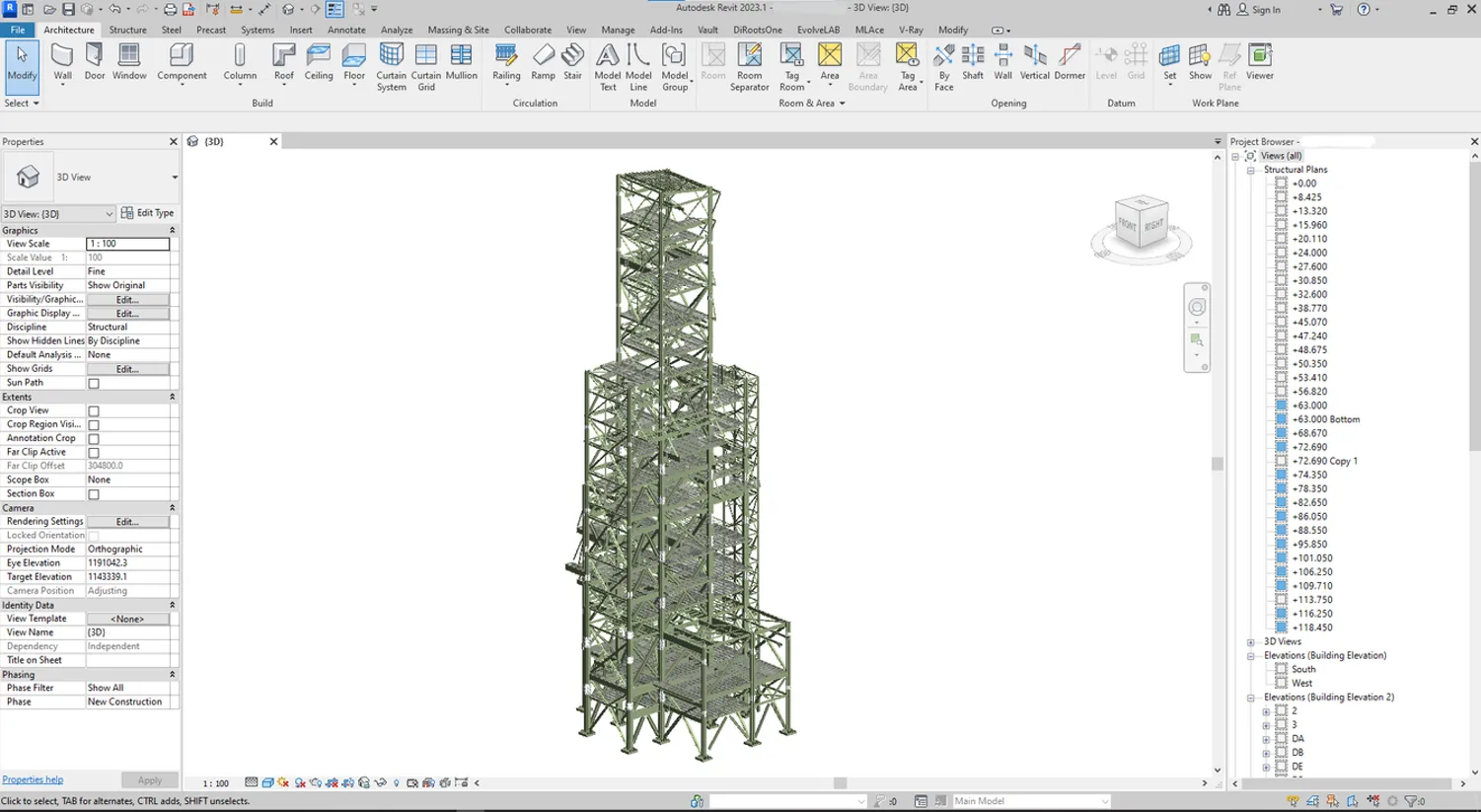 BIM Modeling · Industrial
 Industrial steel structure modeled to LOD 350, clashes resolved in Navisworks, and shop-ready execution drawings issued.
Read the story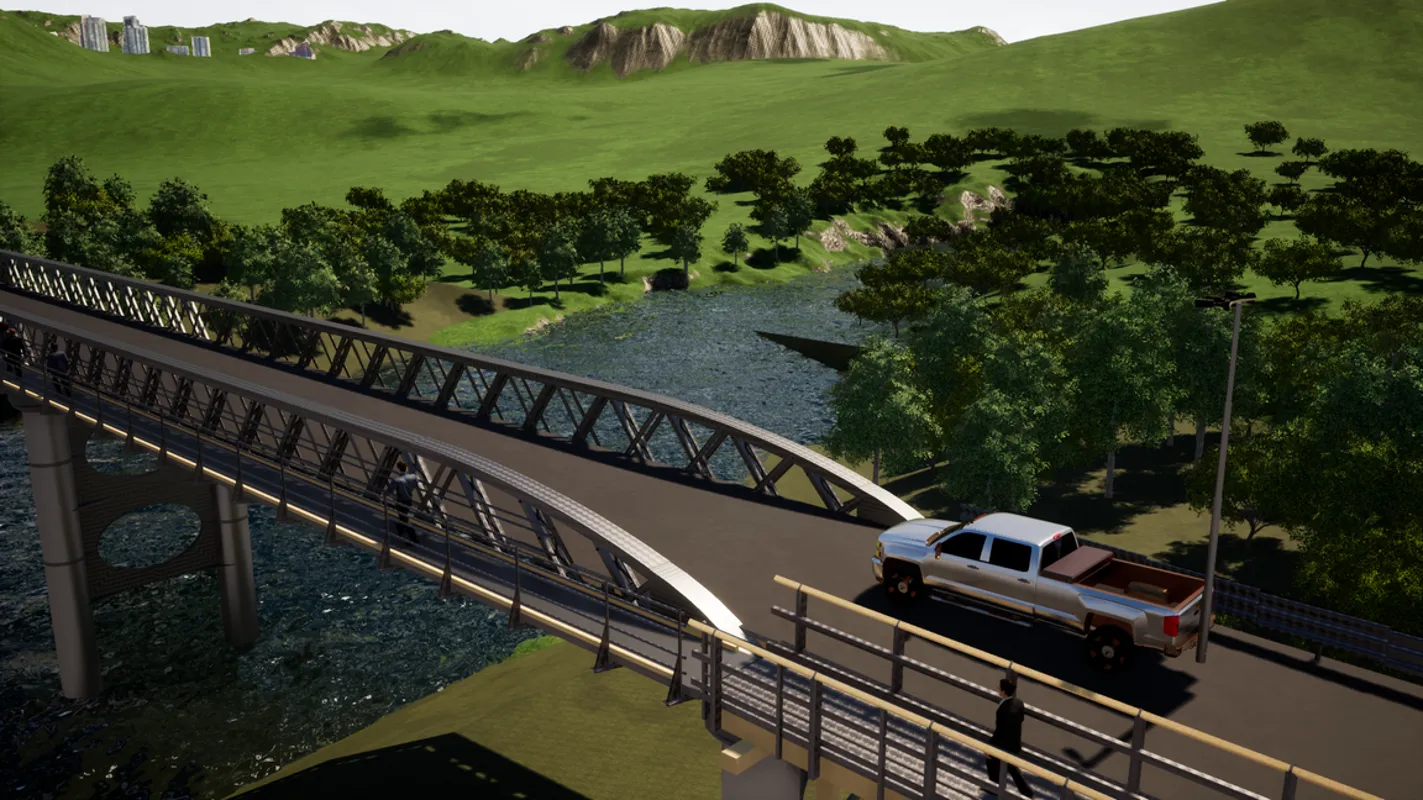 Point Cloud · Australia
 Curved steel bridge modeled in Revit from low-quality scan data; each component built as a separate family, with a Twinmotion animation.
Read the story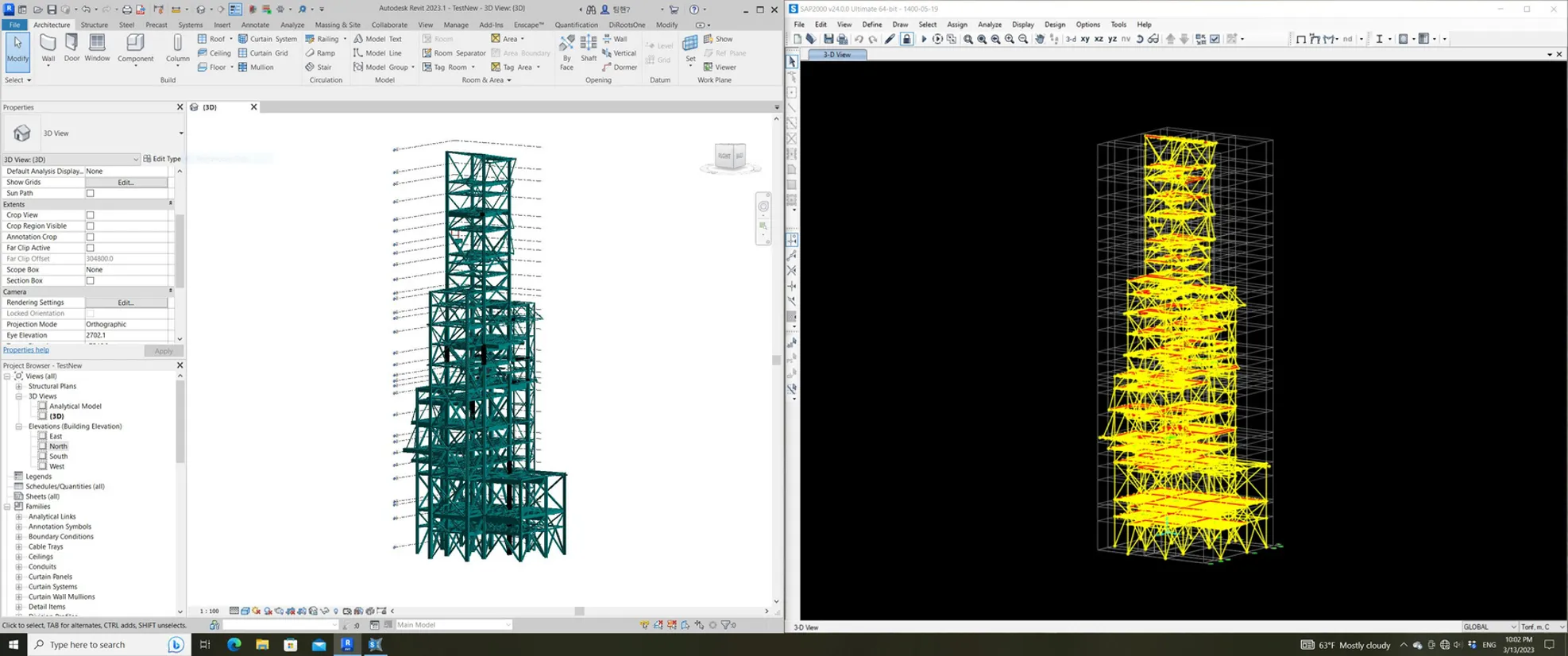 Automation · Plugin
 ETABS / SAP add-ins plus a Revit plugin (C#) that rebuilds the full structural model — levels, grids, beams, columns, rebars — in seconds.
Read the storyWe agree on deliverables, LOD, software, and the standards your team works to. No ambiguity before kickoff.
A short execution plan: milestones, model breakdown, QA gates, and where automation will save the most time.
The model, the scripts, and the drawings — produced by senior engineers, peer-reviewed against the BEP.
Federated model, drawings, takeoffs, and any custom Dynamo / Revit tools — yours to keep.
Send the BEP, the scan, or the problem — we'll come back with a clear path within 48 hours.